
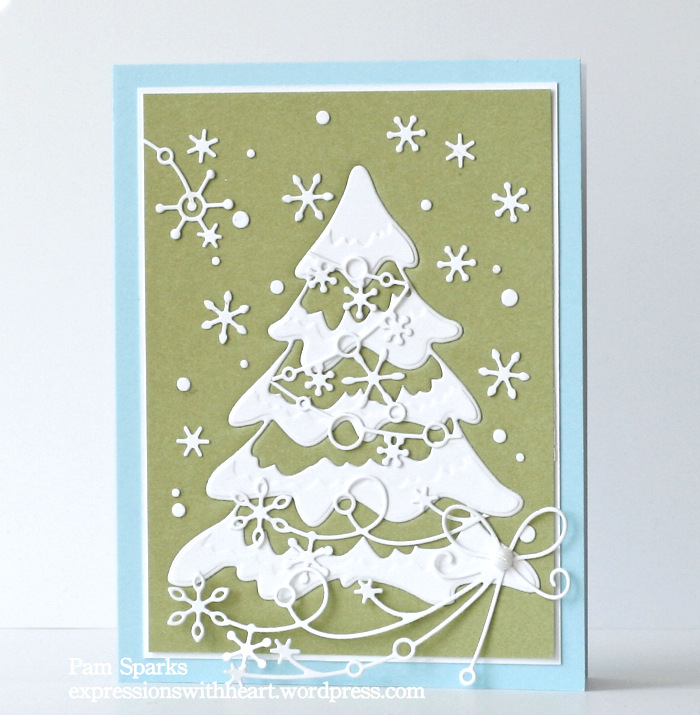
Today I’m sharing a card I made with the technique I introduced in my last video, Embedded Die Cuts, HERE and the beautiful new Snowy Tree die. Love it!
I also used the Beloved Snowflakes die and placed it at the bottom of the card. When you die cut it, there are extra snowflakes! I used the extras, dots from the waste and a piece that I cut off to create the snowy background.
The swag like snowflakes toward the top of the tree are cut from the inside of the Sparkling Tree Tile die and glued on. So instead of strings of lights… you have a few strings of snowflakes!
It was fun to put unusual colors together. I used Memory Box White, Sage and Sky A-2 Notecards.
I used the 1/16th inch Perfect Layers Ruler to cut the white mat for the Sage layer… love these rulers! Link in the sidebar… be sure to use the coupon code if you order!

I’m linking my Snowy Tree card to some challenges…
ABC Christmas Challenge – uncolored image
Merry Monday Christmas Challenge – non-traditional colors
Addicted To Stamps Challenge – Holiday
Simon Says Stamp Monday Challenge – Anything Goes
Over on the Memory Box blog there is a Blog Blitz that started yesterday, Monday the 20th and will go through Friday. You have until 11:00 p.m. EST on Sunday, October 26th, to leave comments on all the posts. The winners will be randomly drawn and announced on Monday, October 27th. Good Luck!
I also wanted to share some photos from two classes I taught on Sunday at Scrapmania in Cedar Rapids, Iowa.
The morning class – Winter Wonderland…with 15 ladies creating the cards in the photo below.


The afternoon class – The Night Before Christmas…with 10 ladies creating the cards in the photo below.

(I do have two of the afternoon class kits to sell… $25 plus $5 flat rate shipping in the USA. International we’d have to figure out)
Here’s Jo Ann working on her Fireplace card…

We had a great time! Stacy has an awesome store and awesome customers! Thank you so much for having me! I’m still smiling!
I’ll be teaching two classes at The Scrapbooking Studio in Moline, IL Nov. 8th. For class info, scroll down on the class page HERE. We’d love to have you come!
Thanks for stopping by! Good to be back!
ttul,


 expressionswithheart.com