
ATS Magnolia Challenge · cards · copics · Doohickey's Dies · Easel · Magnolia · rubber stamps · Tutorials

Magnolia, Tilda with Heart Lace and Twisted Easel tutorial…

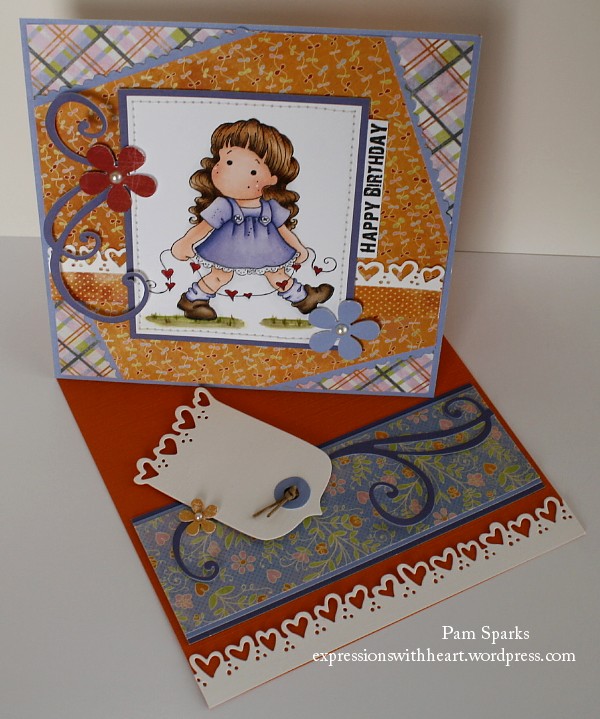
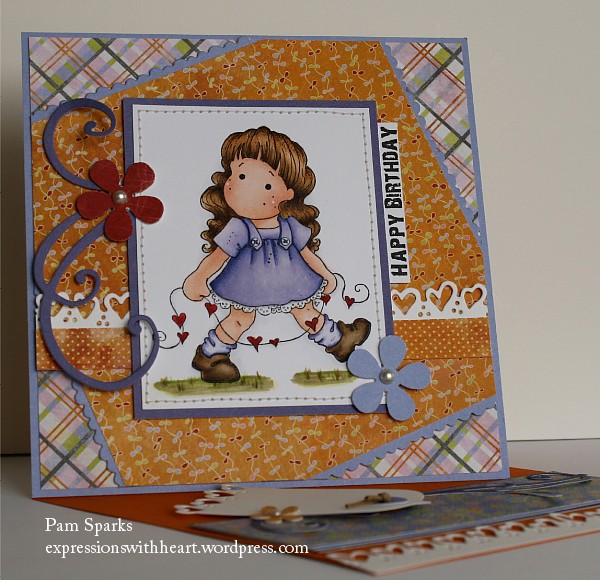
I had to try my hand at another twisted easel card.

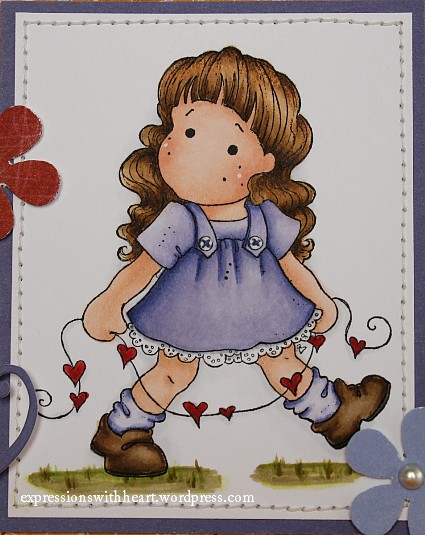
Here’s a close up of this cutie Tilda… she makes me smile!

Tilda with Heart Lace is from the NEW, You Are So Special Collection.  I also used the Happy Birthday stamp, the Mini Zig Zag and Scalloped Lace die,  the Romantic Lace die and the Romantic Lace Tag all from that same NEW collection. I also used the Doohickey’s Swirl die.

How I made this Twisted Easel Card…

  • first I made the 6×6 card front, colored the image, layered it up, etc

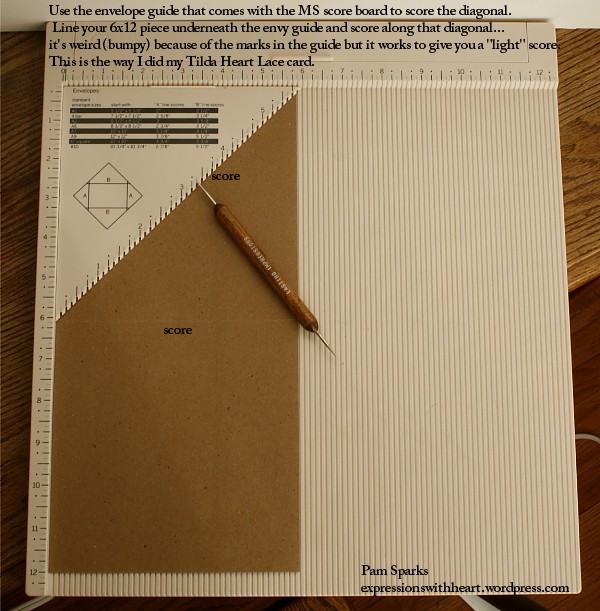
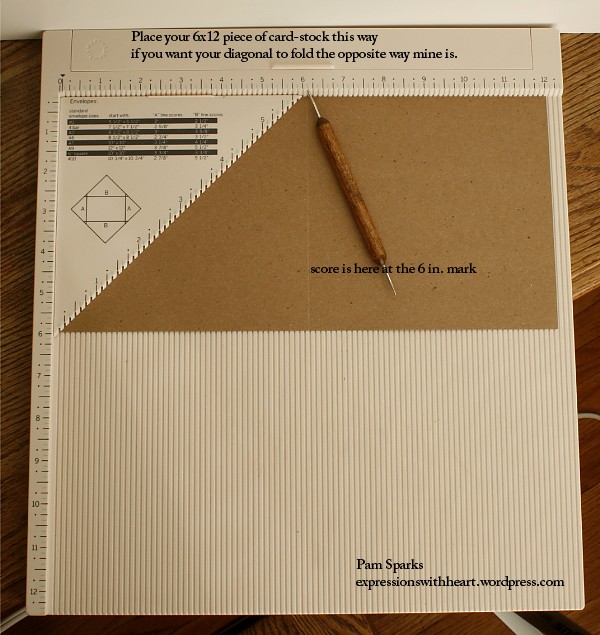
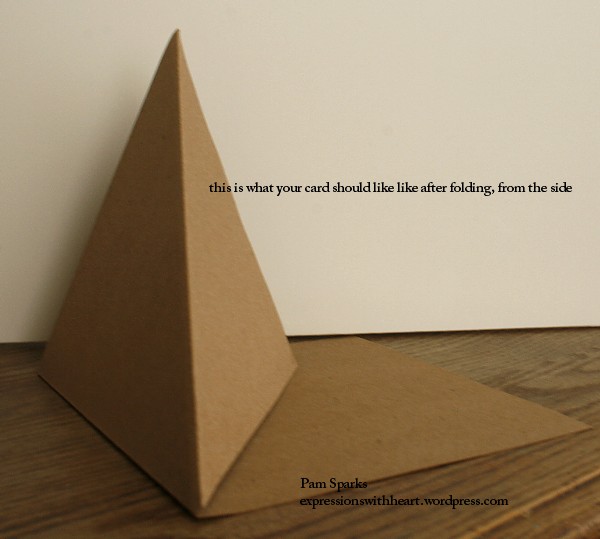
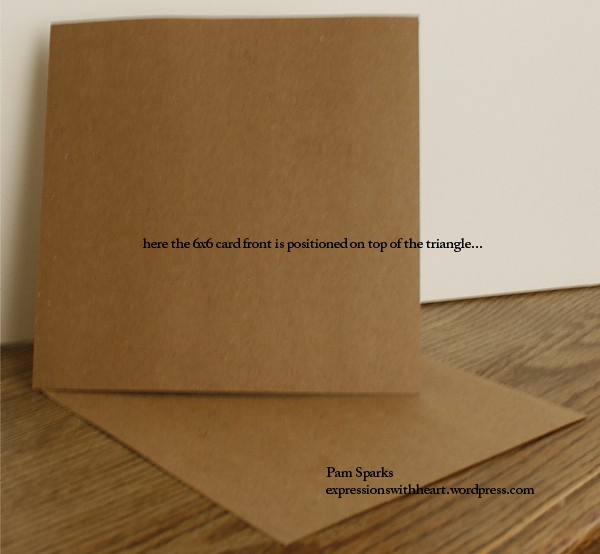
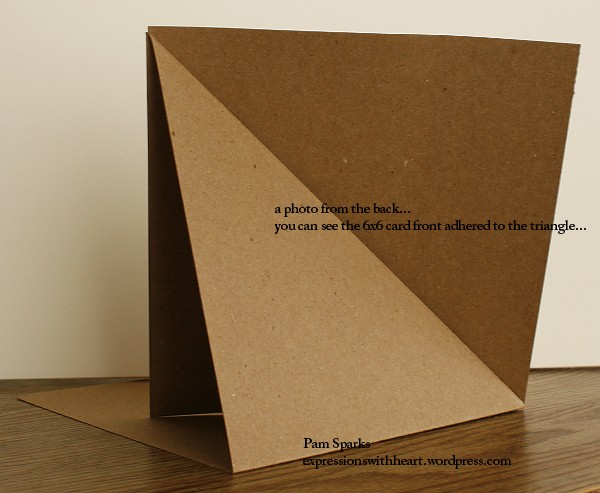
  • then the card base as follows in the photos below…

  • now you will score your “in half” fold and your diagonal with your bone folder so you have nice, sharp folds and it will look like the next photo
  • decorate the base so it holds your easel in place when it’s open.  Oh and I should say the card folds flat for mailing!  cool!

The Martha Stewart Score board is awesome!  I love the 1/8 in. marks all the way across and I love making my own 6×6 envelopes.   The pattern paper is from a Basic Grey 6×6 paper pad… the orange card-stock is from Stampin Up… it really is orange/pumpkin, not red.  I used Copic Sketch Markers to color Tilda… skin is E000, 00, 01, 21,  hair is E50, 51, 53, 55, 57,  dress is BV0000, 000, 00, 01, 02, 04,  shadowed a little with C00 and C1.  oh her shoes are E43, 44, 47 and the grass is a crazy mess of greens!!! lol

Have FUN with this “twist” on the Easel card!!!  ttul!

Stamps and Such…

cards · Doohickey's Dies · Easel · Magnolia · Printworks · rubber stamps · Tutorials

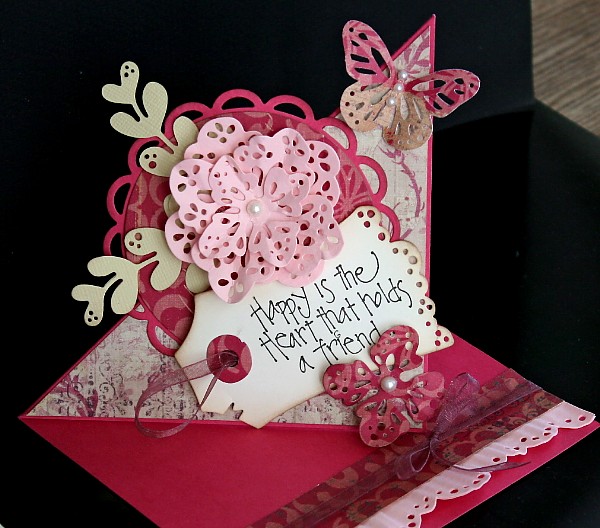
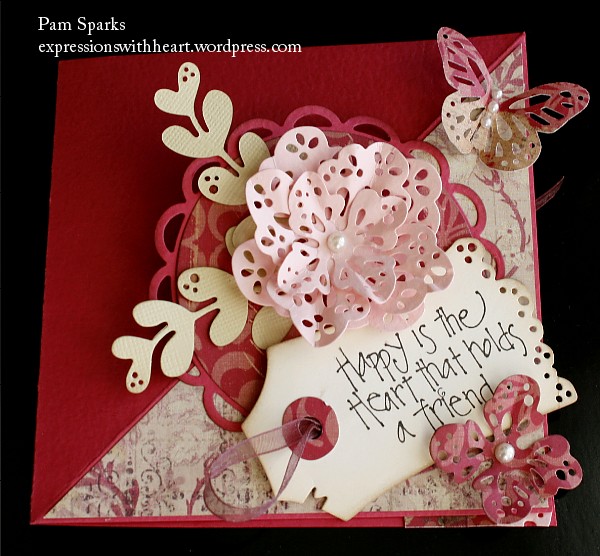
Twisted Easel Doohickey’s flower/tag card…

The second Friday afternoon of the month is our area stamp club meeting…an awesome group of ladies/stampers that I’ve met with for years and they truly are dear friends!  I thought it’d be fun to try the twisted easel card,  so this is what we made yesterday!  Pink,  yes, pink and dark pink,  NOT red!  I hate it that cameras don’t capture true colors but think pink when you look at these pictures! lol

This photo shows the card closed… you can mail it in a 5×7 envelope the way I made it,  that way it’s ok that the butterfly and flower stick off a little because they will be in the envelope the 7 in. way! yea!

Here’s what I did after checking out the You Tubes, blogs and SCS for ideas.

  • one piece of 8.5 x 11 card-stock cut to 5 x 10
  • with a Martha Stewart score board, score that piece in half and then the top half score a diagonal and it doesn’t really matter from which corner because it can sit either direction.  ***My diagonal goes from the “in half” score up to the top left corner and the top right triangle formed from scoring is the triangle I decorated***

  • I used Magnolia Doohickey’s Dies, Doily Flowers, Foliage, Tilda’s Lace, Vintage Tag,  Lacey Circles and Circles Nestabilities, (the eyelet circles would be cool too!). Layer the circles together like the picture. The NEW Doohickey’s dies would be awesome also.
  • I cut a 4 3/4 in. square diagonally and layered it up on the triangle that I decorated… it dawned on my when I was taking the photo of the top of the card that I could have used the other leftover triangle too… boo! lol
  • I used two of the large doohickey’s flowers and one of the smaller to create the center-ish pink flower… just one smaller for the accent flower in the bottom corner.  I push in on the center of each petal while folding down the outside edges to shape the petals for dimension.
  • cut two of the foliage doohickey’s die,  keep in mind what direction you want them to lie when you are cutting them out if your card-stock is textured…
  • the Tilda’s Lace border I cut from pink card-stock and then ran it through the crimper a few times to give it a ruffly feel… love that… saw that on one of the You Tubes about this card.  So many wonderful creative people out there! love that they share so freely! YEA and thank you!
  • Hero Arts pearls
  • ribbon
  • I did edge the tag with Antique Linen Distress ink and the ink blending tool
  • The sentiment is from Printworks HERE C2607 “Heart that Holds”  ***REMEMBER – free shipping offer on $20 or more through the 14th… HURRY and get your order in!!!  More info HERE.
  • The butterfly is a Martha Stewart punch and I can’t remember where I purchased it. Possibly online direct from EK Success.

I’m linking to the following challenges…

Have fun with this style!  I’d love to see what you come up with too! ttul!

cards · copics · Fall · Magnolia · rubber stamps · Step card · Tilda's Town · Tutorials

Magnolia, Tilda Time – I’m Blessed that you are my friend…

Native American Tilda is so perfect for this time of year.  You can find her at Tilda’s Town.com, HERE. I used her to make a Front Panel step card of some call it a Center Step Card.

I’ve been thinking about this card all week and finally figured out how to cut and fold it with only a couple mess-ups!  I was able to remedy one, because I cut too far, by adding mats on the inside…

Tilda:IndianInside11:10

Cards that stand up are so fun!  I used a 5.5 x 11 inch piece of card-stock… it’s a type of stair step… diagram below (minus the wrong cuts) lol … I think 6 x 12 inch card-stock would work great too. I used Kraftin Kimmie’s Thankful Sentiment set.  Love these sets! The pattern paper is Max and Whispers from Basic Grey.  I’m linking my card to the Copic Creations Challenge Blog…use brown and create a scene!

Here it is from the side…

6a00e54faf4fdc8834013488bcaf27970c-800wi
Happy Magnolia stamping! ♥

cards · CC Designs · copics · rubber stamps · seven(7) Kids College Fund · Tutorials

Masking and Stamp-a-ma-jig tutorial…

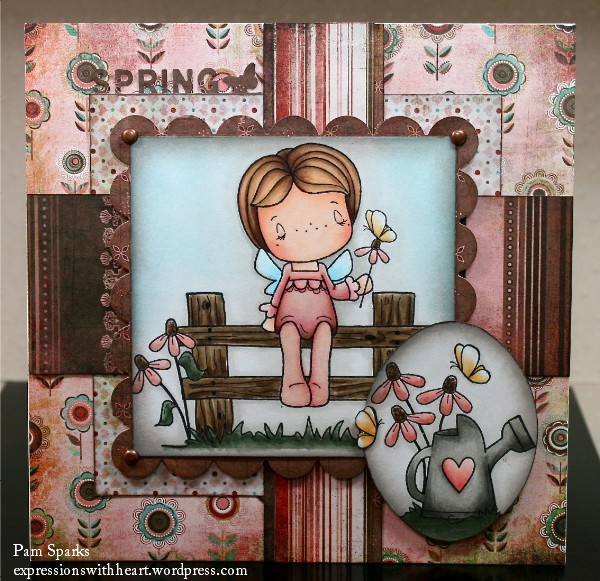
Close up…

This gal is dreamin’…enjoying the day for sure!

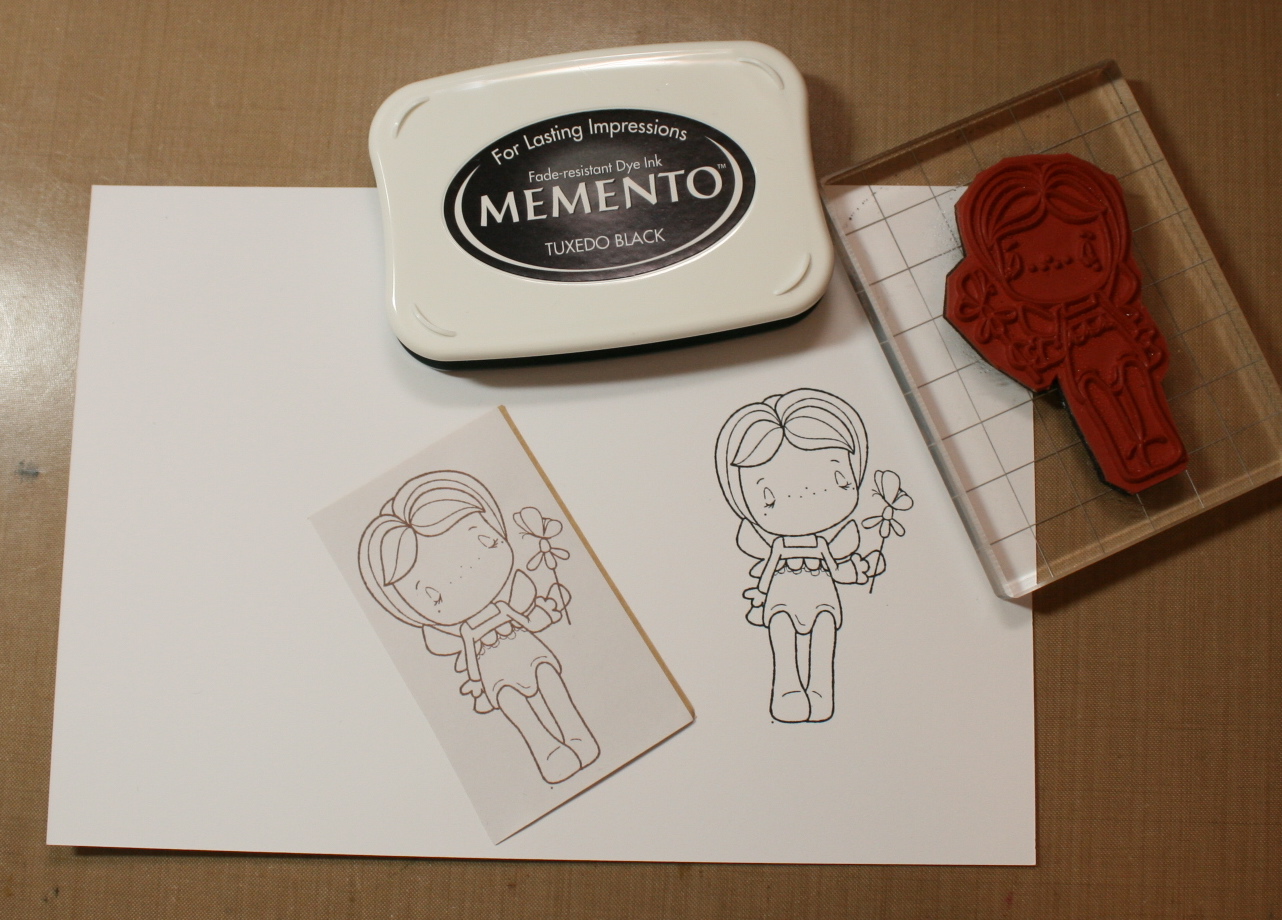
  • She’s inked with Memento Tuxedo Black ink
  • Colored with Copic Sketch Markers
  • Nestabilities standard square and scallop square dies
  • Masked with Eclipse tape
  • Positioned with the Stamp a ma jig
  • Making Memories brads
  • Basic Grey pattern paper 6×6 pad –  Blush (old pattern)
  • Distress inks – Tumbled Glass,  Pumice Stone,  Black Soot for aging the papers
  • Ink Blending Tool for aging the papers
  • Martha Stewart border punch – Spring
  • Tonic trimmer
  • Martha Stewart scoring board

I’m linking my card to Sketch For You To Try, Our Creative Corner, Sweet Stampin Challenge Blog, Magical Crafts Fortnightly Challenge blog

Now…on to my masking and positioning tutorial! FINALLY!  I’ve been thinking of doing this forever! Holler if you have any questions. (photos will all enlarge if you click)

1. Start by stamping your main image on your card-stock and on a piece of Eclipse tape (thin paper with adhesive on the back,  wonderful for masking because it is so thin)…
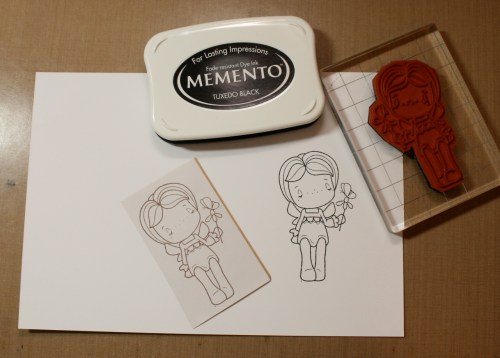
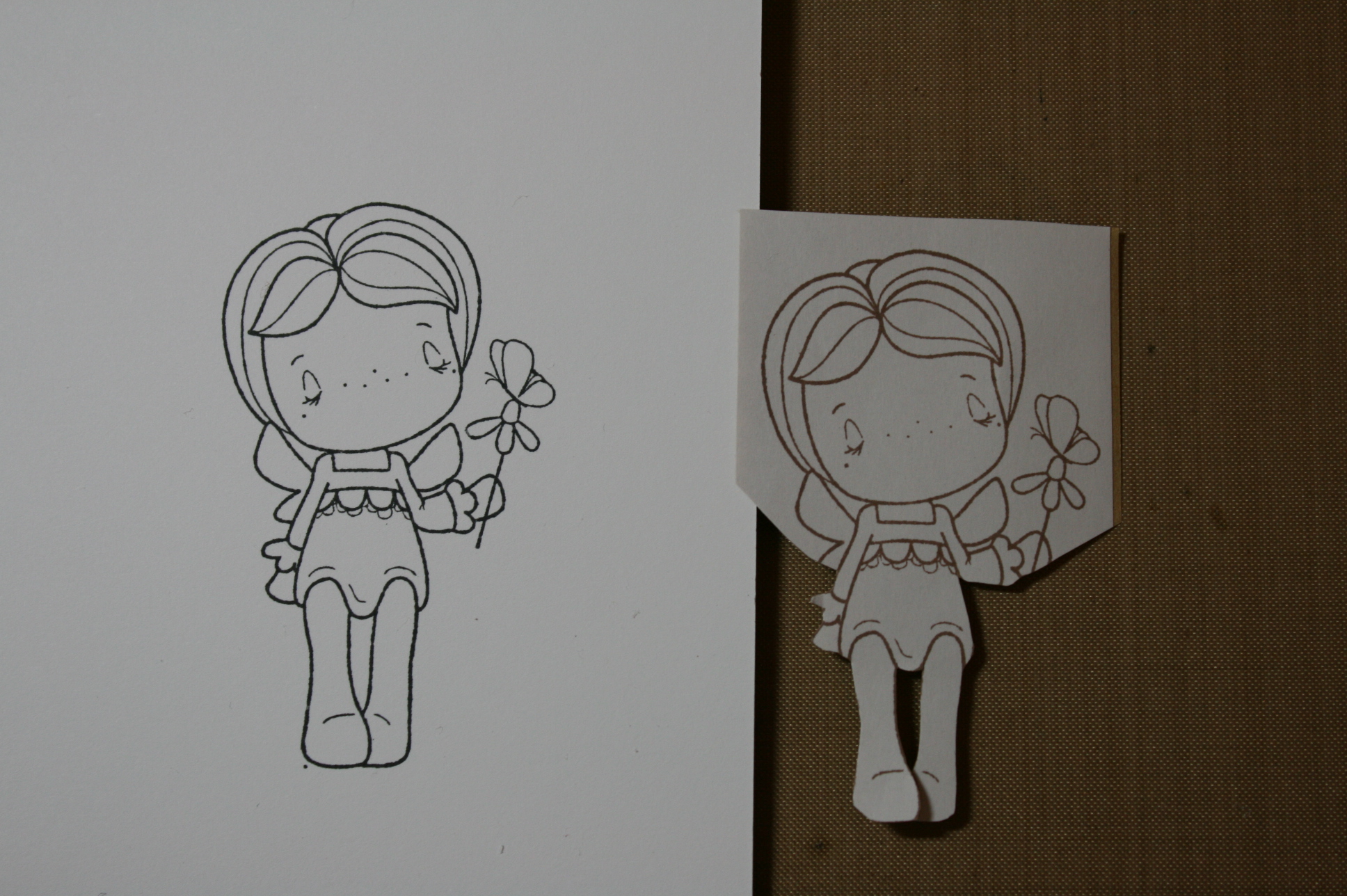
2. Next you will want to cut out the image you stamped on the Eclipse tape,  CUT ON THE INSIDE OF THE STAMPED LINE, when you place this mask over your image you want to barely see the stamped line of the image you stamped on the card-stock,  trust me,  you want to!!!  I only needed to cut out her bottom half for this card.
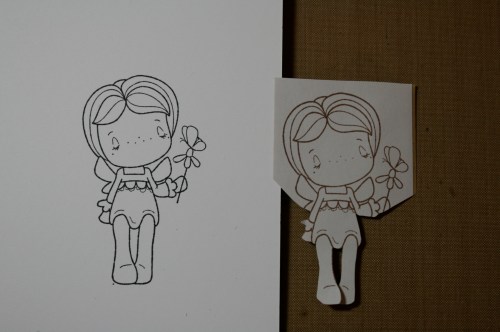
3.  Peel the backing off your mask and place it over the image you stamped on your card-stock.

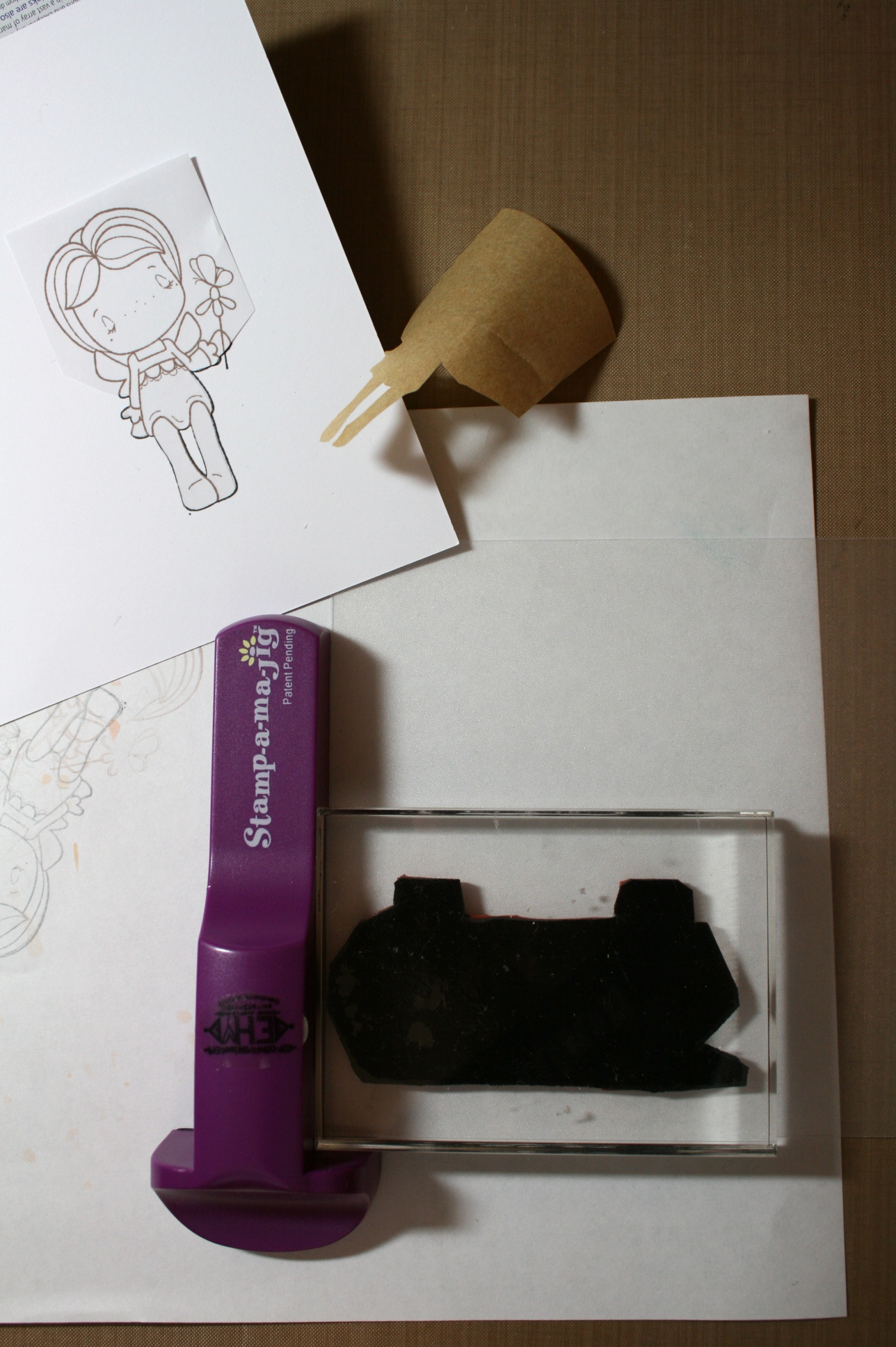
Take your Stamp a ma jig and place the imaging sheet into the corner just like you see in the photo. (the imaging sheet is translucent plastic,  a little rough on one side,  stamp on the rough side)

Ink up your stamp and stamp it on the imaging sheet while holding the stamp a ma jig in place with your left hand. Making sure the imaging sheet stays tucked into the  corner.

Another “trust me”,  you get good at this the more you do it and will never stamp again without it! It is so nice to stamp things right where you want them in the first place!
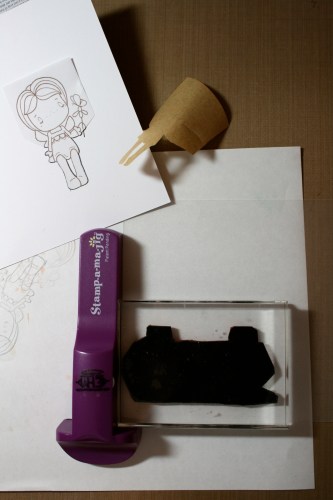
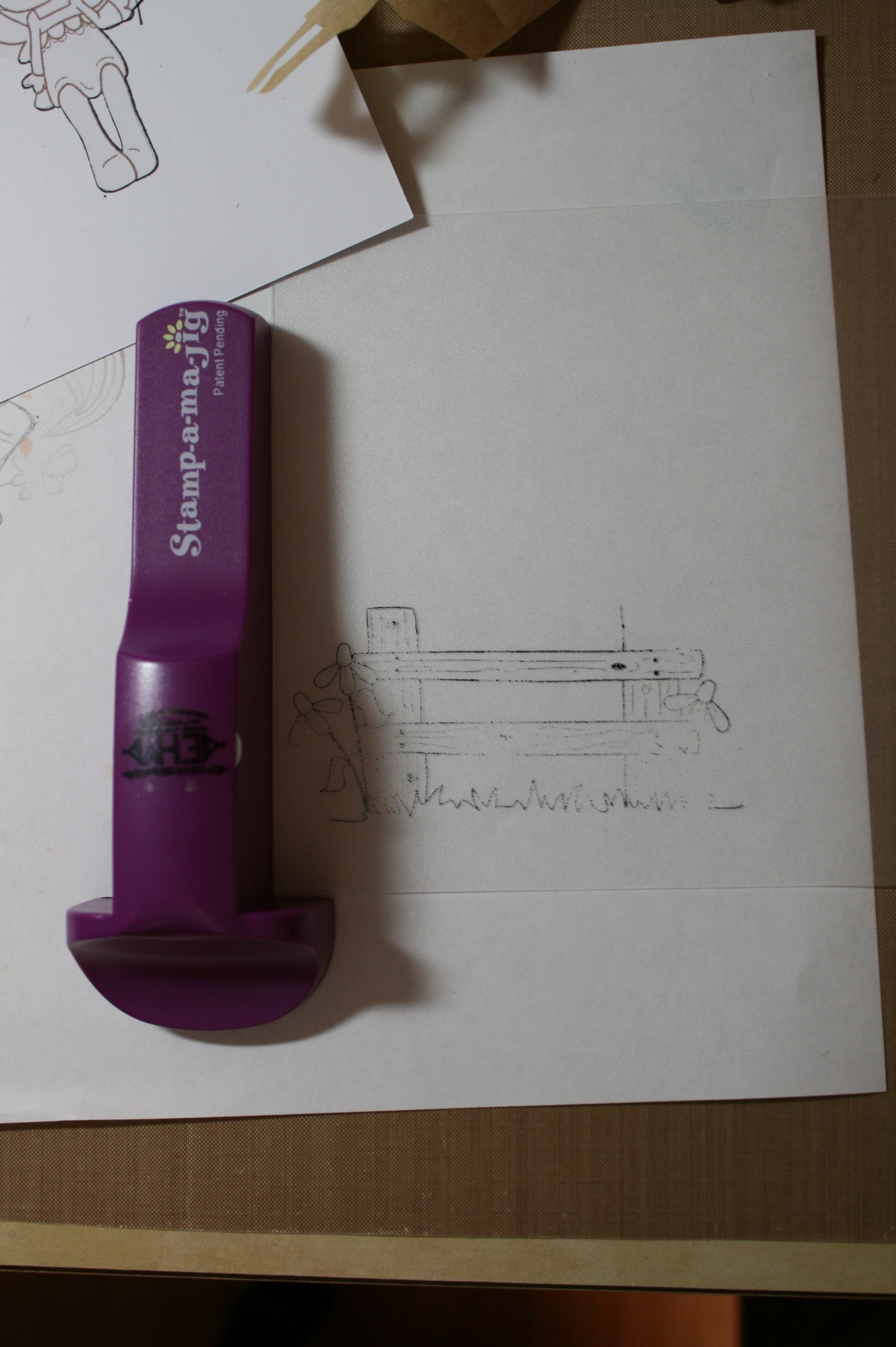
Your imaging sheet will look like this…
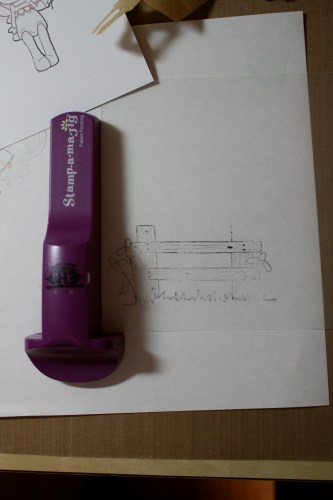
4. Now you are ready to stamp your fence OVER the little girl image…gear up your courage…hehe…

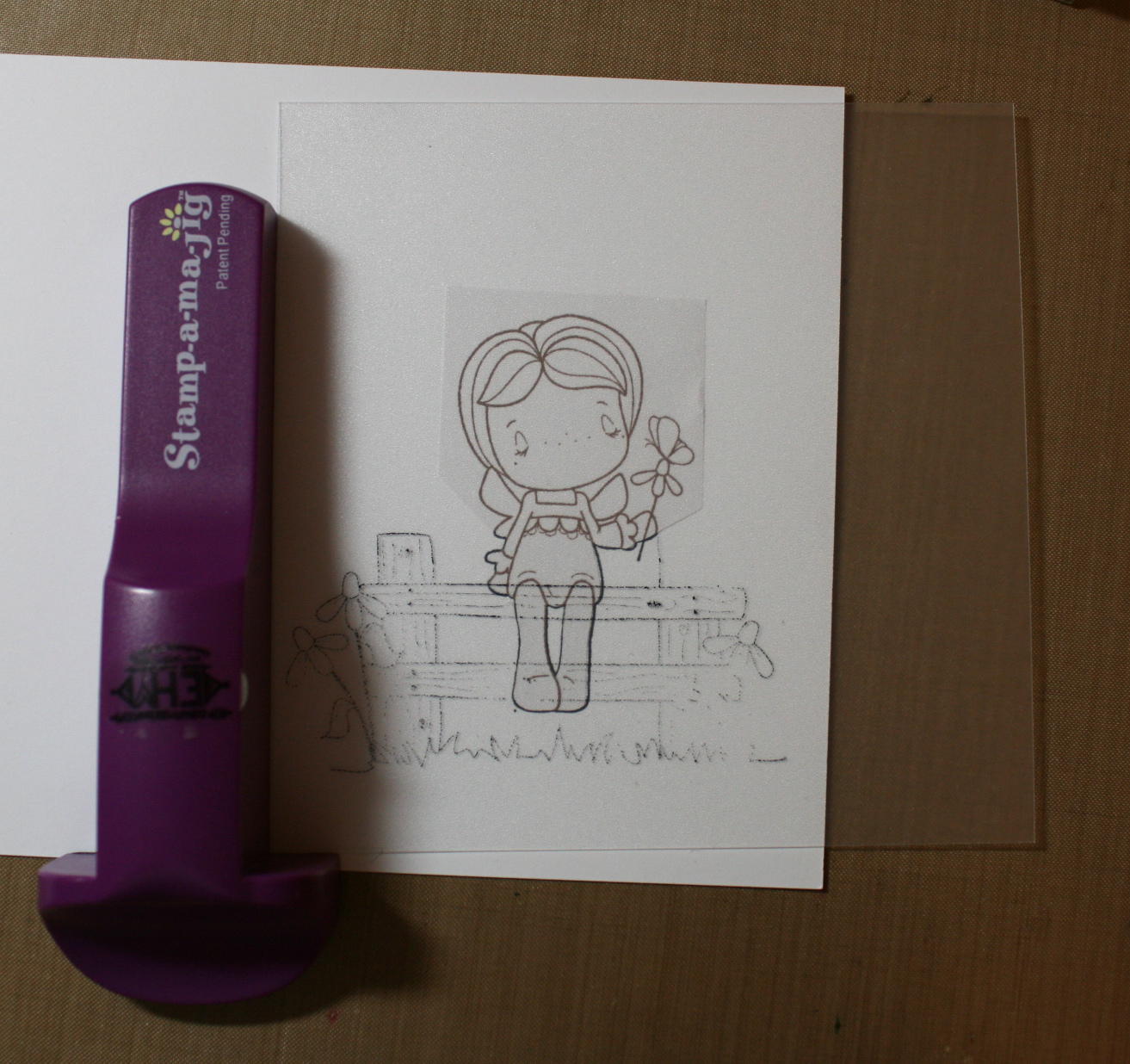
Place your imaging sheet w/the fence stamped on it over the little girl and move it around until you find where you want to stamp it.

Hold the imaging sheet down with your right hand and with your left hand bring the Stamp a ma jig up to the bottom left corner and fit it to the imaging sheet,  making sure it fits perfectly, keeping the fence right where you want it.
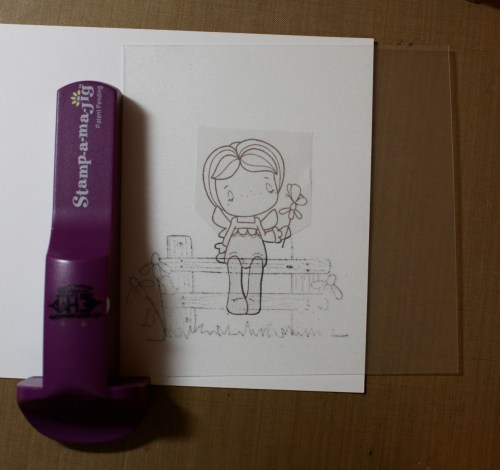
5. Ink the fence stamp again….with your left hand hold that Stamp a ma jig right in place and “take away the imaging sheet”.

Bring the fence stamp up to the Stamp a ma jig (left hand still holding it in place),  making sure the block is fitting right into the corner straight on… I touch it to the stamp a ma jig and then take it down to stamp the card-stock… it will make sense as soon as you do it.

The finished stamped image…ready to color!
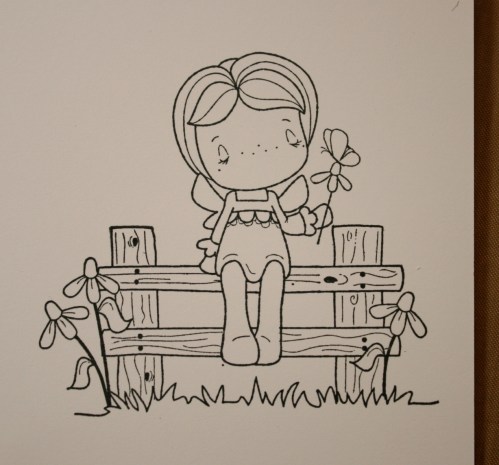
Can’t wait to hear how you get along with this… I hope you try it and love it as much as I do!!!  I have every stamp positioner that was ever created and I LOVE this stamp a ma jig… it is so easy and the non slip base is part of the reason it works so great.  I buy extra imaging sheets but for the most part I just clean them off after I finish…sometimes I even use it for stamping names with alphabets… a letter in each corner of the sheet…however many sheets it takes…it really is slick!!!  I LOVE it!   My stamp a ma jig is one of the original ones,  now they are a light tealish color…

Have a great rest of the week – stamping off!

Tutorials

Tutorial: adding a subscribe box to your blog…

I wrote this up for a gal last night and then the thought crossed my mind that others would want it also….I love being able to subscribe to blogs via email and feedburner makes it easy!

Here’s how to add the subscribe via email box to your blog!

  • go to http://feedburner.google.com
  • you probably already have an account,  so log in
  • if you don’t have an account,  set one up
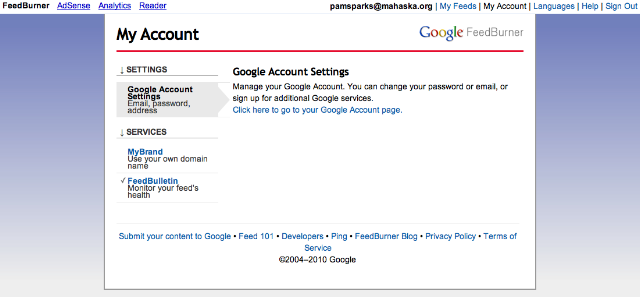
  • then go to”my account” – top right corner..will look like this…

  • click on “Google Feed Burner” it’s straight across from MY ACCOUNT
  • the page that comes up is going to show the name of your blog under “feed title” – click on your  blog name
  • the page that opens shows tabs…photo below…analyze/optomize/publicize etc.

  • click on the publicize tab
  • on the page that comes up,  in the menu on the left choose/click “EMAIL Subscriptions”
  • the instructions and codes are right there for your type of blog and for the kind of subscribe box you would like to show on your blog
  • NOTICE the other options in the menu on the left under this same “publicize” tab… delivery option is really nice.  After you complete your post each time you update your blog,  come here and choose the time you want your email to be delivered to your subscribers.  I bookmark the delivery option page and keep it in my bookmark tool bar,  makes it fast and easy to get to.
*****If you are a WordPress.com user like I am,  there is a new widget you can add to your sidebar in your widget options!!!  It is awesome!  Add it to your blog and anyone can subscribe,  no matter what blog creator they use.  Your post updates go immediately to their email inbox…love it! Anyone leaving you a comment can subscribe by checking the box below their comment,  subscribing to your blog via email also*****  COOL!
Have fun and enjoy more subscribers when you use these methods!
Pam